AI Tools That Turn a Lesson Into a Course Outline
AI tools that turn a lesson into a course outline take the notes, slides, or script from one lesson and turn them into a structured plan — modules, lesson titles, learning goals, and even quiz questions — in a few minutes. Instead of staring at a blank page wondering how to organise what you know, you get a working skeleton you can edit. The tool does the structuring; you stay in charge of what gets taught and in what order. Here is how they work, what to look for, and how to use one without ending up with a course that sounds like everyone else’s.
How AI Tools Turn a Lesson Into a Course Outline
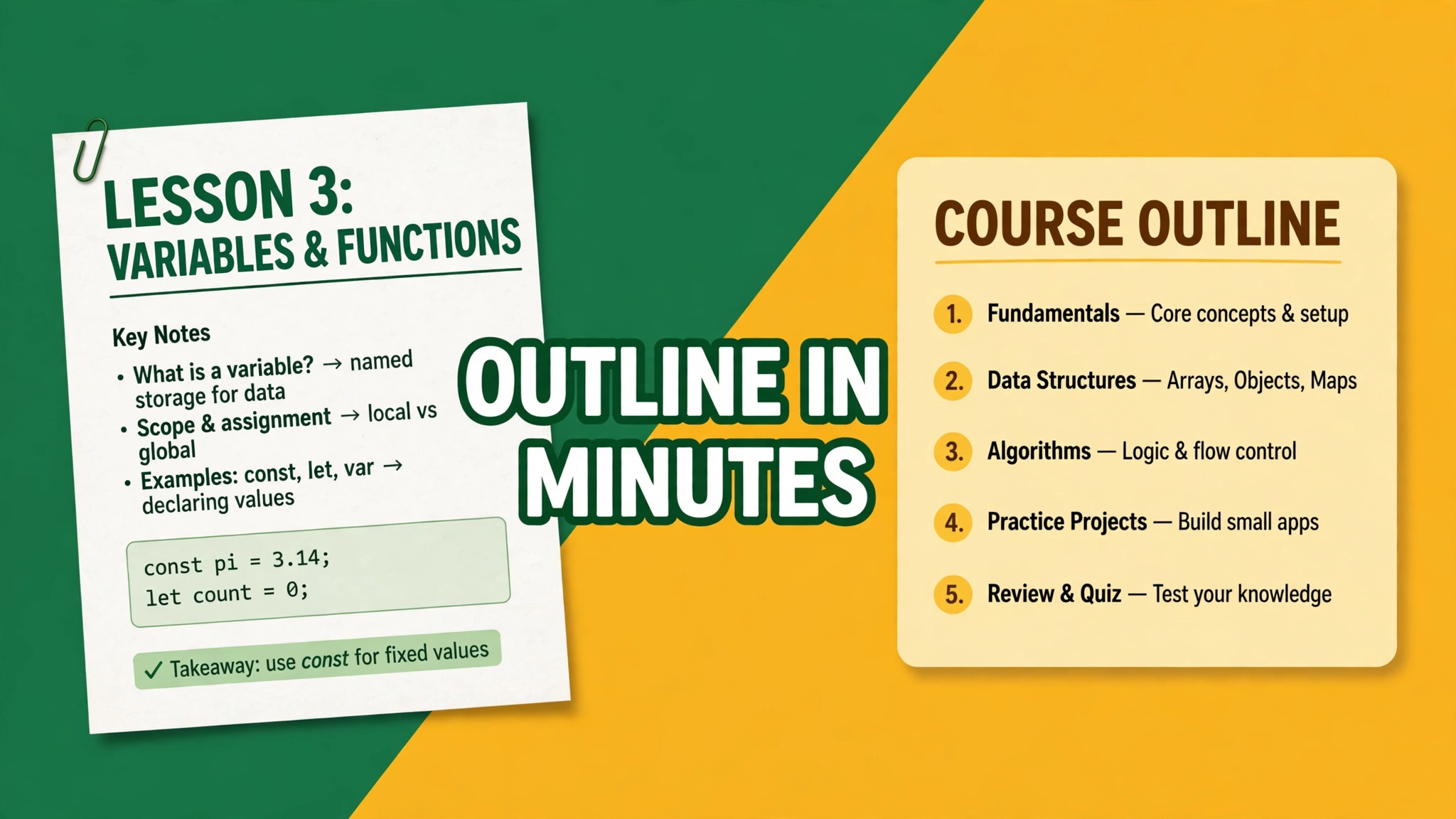
The process is usually the same across tools. You give the tool your raw material — a lesson script, a set of notes, a slide deck, or even a short paragraph describing what you want to teach — and you tell it who the course is for and what they should be able to do by the end. The tool then breaks your material into a sequence: an introduction, a handful of modules, lessons inside each module, and a short summary of what each lesson covers.
Most tools let you set the shape before it generates. You can ask for a 5-lesson mini-course or a 20-lesson programme, beginner or advanced level, and a tone for the titles. The better tools also suggest learning objectives for each module — a sentence starting with “By the end of this module, you will be able to…” — and a few quiz or practice questions per lesson. Those objectives are the most useful part of the output, because they force the outline to stay focused on what the student can actually do, not just what you want to say.
What a Good Outline Tool Should Give You
A useful outline tool gives you more than a list of titles. Look for these five things:
- Modules with a clear order. Lessons should build on each other — basics first, practice in the middle, a real project at the end.
- Learning objectives per module. One plain sentence per module saying what the student will be able to do. If a module has no clear objective, it probably does not belong in the course.
- Realistic lesson lengths. Each lesson should be short enough to finish in one sitting — usually 5 to 15 minutes of video or a page or two of reading.
- Practice built in. A short exercise, a checklist, or a quiz at the end of each module. A course without practice is a lecture, and lectures are easy to abandon.
- An export you can edit. The outline should come out as a document, a spreadsheet, or a file you can open in your course platform — not trapped inside the tool.
What the tool cannot do is decide what is worth teaching. It can only organise what you give it. If your lesson notes are vague, the outline will be vague too — the same generic modules (“Introduction”, “Getting Started”, “Advanced Tips”) that every course seems to have. The quality of the outline depends on the quality of the material you feed in.
Some tools are built specifically for course creators and include templates for common course shapes. Others are general writing tools where you ask for an outline with a well-written prompt. Both can work; the dedicated ones save time, the general ones are cheaper and more flexible.
A Simple Workflow: From One Lesson to a Full Outline
Here is a workflow that takes about an hour and keeps you in control:
1. Write down the result first. Before you touch the tool, write one sentence: “By the end of this course, the student will be able to ___.” That sentence is the test every module has to pass.
2. Feed it your best material. Give the tool your strongest lesson — your notes, your script, or a recording transcript — plus that result sentence, your audience (beginners, freelancers, hobbyists), and the course length you want. The more specific you are, the less generic the outline.
3. Take the first draft and cut it in half. The tool will usually give you too much. Delete any module that does not serve the result sentence. A first course with six strong modules beats one with twelve thin ones.
4. Rewrite every title in your own words. The tool’s titles are a starting point, not the final copy. Rewrite them so they sound like you and say what the lesson actually teaches. “Module 3: Advanced Techniques” tells a student nothing; “Module 3: Price Your First Project” tells them exactly what they will learn.
5. Add your own examples. This is the step that makes the course yours. For each module, write down one real example, story, or mistake from your own experience. AI cannot supply those — and they are the reason a student picks your course over a free video.
Where AI Outlines Go Wrong (and How to Fix Them)
The most common problem is generic structure: the outline looks tidy but could belong to any course on any topic. The fix is better input — feed the tool your actual notes and examples, not just the topic name. “Make an outline about budgeting” gives you a generic outline; “Make an outline from these notes about budgeting for freelancers with irregular income” gives you something usable.
The second problem is wrong order. Tools sometimes put advanced material before the basics, or bury the most useful lesson at the end. Read the outline as a student would, in order, and move anything that assumes knowledge the student does not have yet.
The third problem is bloat. An outline with 30 lessons for a simple skill is a course nobody finishes. If a module has only one small idea in it, fold it into the module next to it. Shorter courses get finished; finished courses get recommended.
Finally, watch for made-up details. If the tool invents statistics, tool names, or “expert tips” that were not in your material, delete them. Your name goes on the course, so every claim in it has to be one you stand behind.
Free vs Paid Outline Tools
Free options are usually enough for a first outline. General writing tools with a free tier can produce a solid outline from a good prompt, and some course platforms include a basic outline generator at no extra cost. Paid tools — typically $10 to $30 a month — add course-specific templates and better exports. Pay for one only if you are building courses regularly; for a single first course, the free route plus an hour of your own editing will get you there.
Whichever route you take, treat the tool as a first-draft machine, not a course author. The outline is the skeleton. The teaching — the examples, the order, the judgement about what to leave out — is still yours, and that is what students are paying for.
FAQ
Can AI really turn one lesson into a full course outline?
Yes, if you feed it real material. Give it your lesson notes or script, your audience, and the result students should reach, and it will return a structured outline of modules, lessons, and objectives in minutes. The outline still needs your editing.
What is the best way to prompt an AI outline tool?
State the result first (“By the end, students will be able to…”), describe your audience, paste your actual lesson notes, and set the length and level. Specific input gives a specific outline; a one-line topic gives a generic one.
Do AI-generated course outlines sound generic?
They can, especially when the input is just a topic name. Fix it by feeding in your own notes and examples, rewriting every title in your own words, and deleting any module that does not serve the course’s main result.
Should I pay for a course outline tool?
Not for your first course. Free writing tools and the outline generators inside many course platforms are enough. Consider paying only if you build courses regularly and want templates and direct exports.
IncomeXP publishes practical, hype-free guides to earning more — no promises, just information you can use.