AI Tools That Write Newsletters Faster
AI tools that write newsletters faster can turn a blank page into a working draft in minutes, and that is exactly what they are good for: the draft, not the finished issue. If you spend two hours writing a weekly newsletter, the right AI tool can cut that to under an hour — mostly by handling the slow parts, like outlining, summarising your notes, and fixing clumsy sentences. What it cannot do is know your readers, your experience, or your opinion. Use it for speed, and keep the thinking for yourself.
What AI Tools That Write Newsletters Actually Do
Most AI writing tools do the same few jobs, whatever their name: drafting from a short prompt, outlining a topic into sections, rewriting and tightening your own rough draft, suggesting subject lines, and summarising long notes into main points. Outlining is often the most useful feature, because a good outline is half the writing — and rewriting your own draft is where AI saves the most time for people who already know what they want to say.
None of these tools writes a good newsletter on their own. They write a starting point. The finished issue still needs your examples, your numbers, and your judgment about what your readers actually care about.
The Tools Worth Knowing
You do not need a stack of tools. One general writing tool and one newsletter platform with built-in AI is enough for most beginners.
General AI writers — ChatGPT, Claude, and Google’s Gemini all draft and rewrite well. The free versions are enough to test whether AI drafting helps you at all; paid versions are faster and handle longer drafts, but start free.
Newsletter platforms with AI built in — Substack, Beehiiv, and ConvertKit have AI helpers that draft, suggest subject lines, or tidy up your writing inside the editor. If you already write on one of these platforms, try its built-in helper before buying a separate tool.
Dedicated newsletter tools — Tools like Jasper and Copy.ai are built for marketing writing and come with newsletter templates. They can be worth it if you write a lot of different content every week, but for one weekly newsletter they are usually more than you need.
Do not pay for three tools that do the same thing. Pick one, learn it properly, and add a second only when you hit a clear limit.
A Faster Workflow That Keeps Your Voice
The fastest workflow is not “ask the AI to write the newsletter.” It is a short routine where you do the thinking and the AI does the typing. Here is one that works for a weekly issue:
- Write your own outline first (10 minutes). List the one main idea, the example you will use, and the action step for the reader. If you skip this step, the AI will pick the idea for you — and it will pick the most obvious one.
- Ask the AI to draft from your outline (5 minutes). Paste your outline and ask for a draft in plain language, about the length you want. Tell it who the reader is — “busy side hustlers with 5 hours a week” gets a better draft than “write a newsletter.”
- Rewrite the draft in your voice (20 minutes). Replace generic sentences with your own examples, your own numbers, and your own opinion. Delete anything you would not say out loud.
- Ask the AI to tighten and check (5 minutes). Paste the rewritten draft back and ask it to spot repetition and fix grammar. Then read the result yourself and keep only the changes you agree with.
- Generate subject lines and pick one (5 minutes). Ask for ten options, then pick the one that says what is actually in the issue. The best subject line is usually the plainest one.
That is about 45 minutes for an issue that used to take two hours — and the finished newsletter still sounds like you, because the ideas and the examples were yours from the start.
How to Use AI Tools Without Sounding Like a Robot
Readers unsubscribe from newsletters that sound like everyone else’s. AI writing has a tell: long smooth sentences and examples that feel made up. Here is how to keep your newsletter human:
- Always add one real detail. A number from your own side hustle, a mistake you made, a price you actually paid. One real detail does more for trust than a whole paragraph of polished advice.
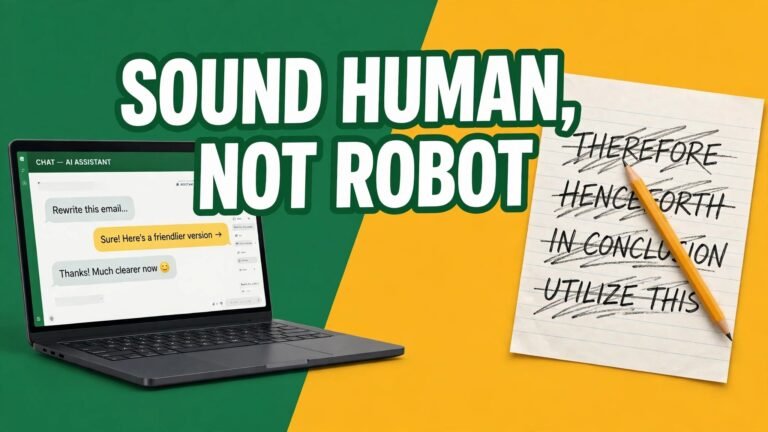
- Cut the filler words. AI loves phrases like “in today’s fast-paced world.” Delete them. If a sentence does not add information, it does not belong in the issue.
- Read the draft out loud. If a sentence sounds strange spoken, rewrite it.
- Keep your opinions. AI will not take a position. You should. “I think $5 a month is the right starting price” is more useful than “prices vary depending on many factors.”
What AI Tools Cost
Most beginners can start free. ChatGPT, Claude, and Gemini all have free tiers that handle drafting and rewriting fine for one weekly newsletter. The paid versions — usually around $20 a month — are worth it only when you write often enough to hit the free limits.
Newsletter platforms with built-in AI usually include the helper in their free or basic plan. Dedicated tools like Jasper and Copy.ai typically start around $40 to $50 a month, which is hard to justify for a single weekly newsletter until the newsletter itself is earning. Do not pay for an AI writing tool until your newsletter is earning more than the tool costs.
What to Avoid
- Publishing the AI draft untouched. It will read like every other AI-written newsletter, and your readers will notice within two issues.
- Letting the AI invent facts. AI tools sometimes make up statistics, quotes, or prices. Check every number in the draft against a real source before you publish.
- Chasing every new tool. A new AI writing tool appears every month. Switching tools every few weeks costs more time than any of them saves. Pick one and stick with it for at least a month.
A Realistic First Month With AI Help
In the first week, try the workflow above on a single issue and time yourself — most people cut their writing time by a third or more. By the fourth week, you should have a repeatable routine: your outline, your draft, your rewrite, your check. That routine is the real time-saver, more than any single tool.
FAQ
Can AI write my whole newsletter for me?
It can write a draft, but a fully AI-written newsletter reads generic and loses readers. Use AI for the draft and the tidy-up, and write the ideas, examples, and opinions yourself.
Which AI tool is best for writing newsletters?
Start with a free general tool like ChatGPT, Claude, or Gemini, or the AI helper built into your newsletter platform. Only pay for a specialist tool when the free one hits a clear limit.
Will readers know if I use AI to write my newsletter?
They will if you publish the draft untouched — AI writing has a recognisable smooth, generic style. A draft you rewrite with your own examples and opinions reads like you.
How much time can AI tools really save on a newsletter?
Most writers cut a two-hour issue to under an hour once the routine is set — mainly by speeding up the draft and the editing, not by skipping the thinking.
IncomeXP publishes practical, hype-free guides to earning more — no promises, just information you can use.