AI Tools That Write Thank-You Notes to Clients
AI tools that write thank-you notes to clients turn a blank page into a warm, personal message in a few minutes — just what you need when a thank-you is overdue but you cannot find the right words. You tell the tool who the client is, what you did together, and the tone you want, and it drafts a note you can edit and send. It does not replace your judgement, and a note that sounds like a robot wrote it can do more harm than good — but used well, these tools turn a job most freelancers put off into a two-minute task.
How AI Tools That Write Thank-You Notes Work
These tools are built on the same writing assistants you may already use — ChatGPT, Claude, Gemini, Jasper or Copy.ai, plus the writing features built into email apps. The process is the same whichever one you pick.
You give the tool a short brief — client name, what you delivered, one detail, and the tone: warm, professional, or casual. It writes a draft of three to five sentences. You read it, fix anything that sounds wrong, add a detail only you would know, and send it. The whole job takes two to five minutes, mostly your editing.
The better tools remember context: use the same assistant regularly and it learns your preferred length and sign-off.
When a Thank-You Note Is Worth Sending
Not every job needs a note. Send one when it will actually be noticed:
When a project ends well. A short note at the end of a first project is one of the cheapest ways to turn a one-off client into a repeat client — it signals you noticed the relationship, not just the invoice.
When a client refers someone to you. A referral is a gift, and a thank-you that names it — “thank you for sending Sarah my way” — makes a second one much more likely.
At year-end. December and January are the natural season for thank-you notes, and a short message to your best clients is a simple, human way to stay in touch without selling anything.
When a client helped you. If a client gave you a testimonial, a flexible deadline, or a second chance after a mistake, a note costs nothing and is remembered far longer than the favour.
Skip the note when there is nothing specific to thank them for — a generic “thanks for being a great client” sent to everyone reads as a mail merge, and clients can tell.
What to Look For in a Thank-You Note Tool
You do not need a specialist app — most people do fine with a general writing assistant. Whichever tool you use, check for four things.
Tone control. The tool should let you pick warm, formal, or friendly — and follow your choice. A note to a corporate client should not sound like a text to a friend.
Short by default. A thank-you note should be three to five sentences. If the tool writes long, flowery paragraphs, you will spend more time cutting than it saved you — ask for “short”.
Easy editing. You will always edit the draft — that is the point. Pick a tool where editing is quick, ideally where you already write your emails, so you are not copying text between apps.
Your details, kept private. Do not paste a client’s private information, rates, or project details into a free tool without checking its privacy terms. Keep the brief to first name, project type, one detail.
A Simple Workflow: From Blank Page to Sent Note
Here is a routine that takes about five minutes per client:
- List the clients worth thanking. At the end of a project, or once a month, write down the names — one to three at a time is plenty.
- Write a one-line brief for each. For example: “Thank Maria, logo project, finished early, great testimonial, warm and short.” That line is your prompt.
- Generate a draft. Paste the brief into your tool and ask for a note of three to four sentences.
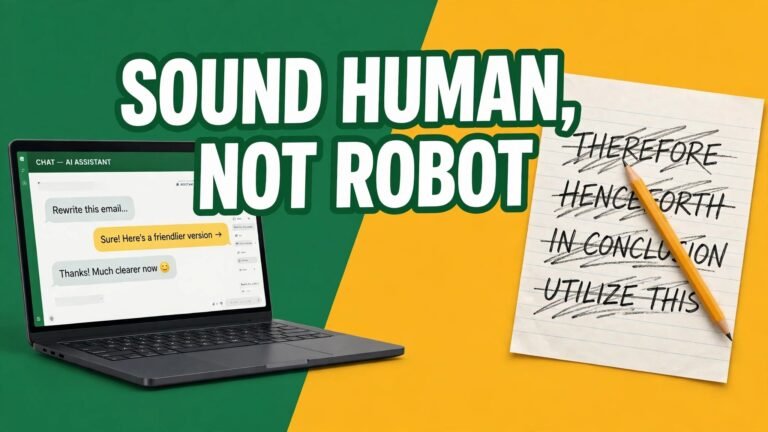
- Edit it into your voice. This is the step that matters most. Add one detail the tool could not know — a joke from a call, a specific result. Remove any phrase that sounds like a template, then read it aloud: if it does not sound like you, fix it.
- Send it in the right place. Email is the safe default; a handwritten card suits a big milestone, and a short message inside the platform is fine for a quick thanks.
When to Skip the AI and Write It Yourself
AI is a good starting point, but sometimes it should stay out of the way. Write the note yourself when the relationship is new and fragile — after a difficult project, or when you are apologising as well as thanking. Write it yourself when the client is a big one and the note could decide a renewal. And write it yourself when you have something real to say: a genuine thank-you from you beats a polished one from a machine.
The rule is simple: if the note would be embarrassing to send as-is, edit it properly or start over. A generic thank-you does not build a relationship; it just fills an inbox.
How Much Do They Cost?
For most side hustlers, nothing extra: the free tiers of ChatGPT, Claude, and Gemini all write good thank-you notes, and the writing features in Gmail, Outlook, and Grammarly cover the basics at no cost. Paid plans — roughly $20 a month — add longer memory and better tone control, worth it if you write client messages daily, but not needed just for thank-you notes.
Frequently Asked Questions
Will clients be able to tell a note was written by AI?
They can tell when it sounds generic — phrases like “it was an absolute pleasure” are giveaways. They cannot tell when you edit it properly, add a specific detail, and keep it short. The edit is what makes it yours.
Is it dishonest to use AI for a thank-you note?
No, as long as the thanks is real. You are using a tool to help you say something you genuinely mean, the same way a spellchecker helps you write an email. It becomes dishonest only if you send thanks you do not feel — the tool writes the words; the sentiment has to be yours.
How long should a client thank-you note be?
Three to five sentences is the sweet spot: long enough to name something specific, short enough to read in ten seconds. More than a short paragraph means you are writing a different message — a project summary or a proposal.
Can I use the same note for every client?
You can use the same structure, but never the same words. Change the client’s name, the project, and one specific detail every time — a template with swapped names is easy to spot.
IncomeXP publishes practical, hype-free guides to earning more — no promises, just information you can use.